Bihar RTPS form save once, fill in one tap.
जाति, आय, निवास, OBC-NCL, NCL, EWS — वही नाम, पता, जिला बार-बार? RTPS Pro एक बार सेव करता है और अगली बार एक टैप में भर देता है। 100% on-device, हमेशा FREE।
निवास प्रमाण-पत्र • Residence Certificate
Revenue Officer Level
Fills the form.
Saves the time.
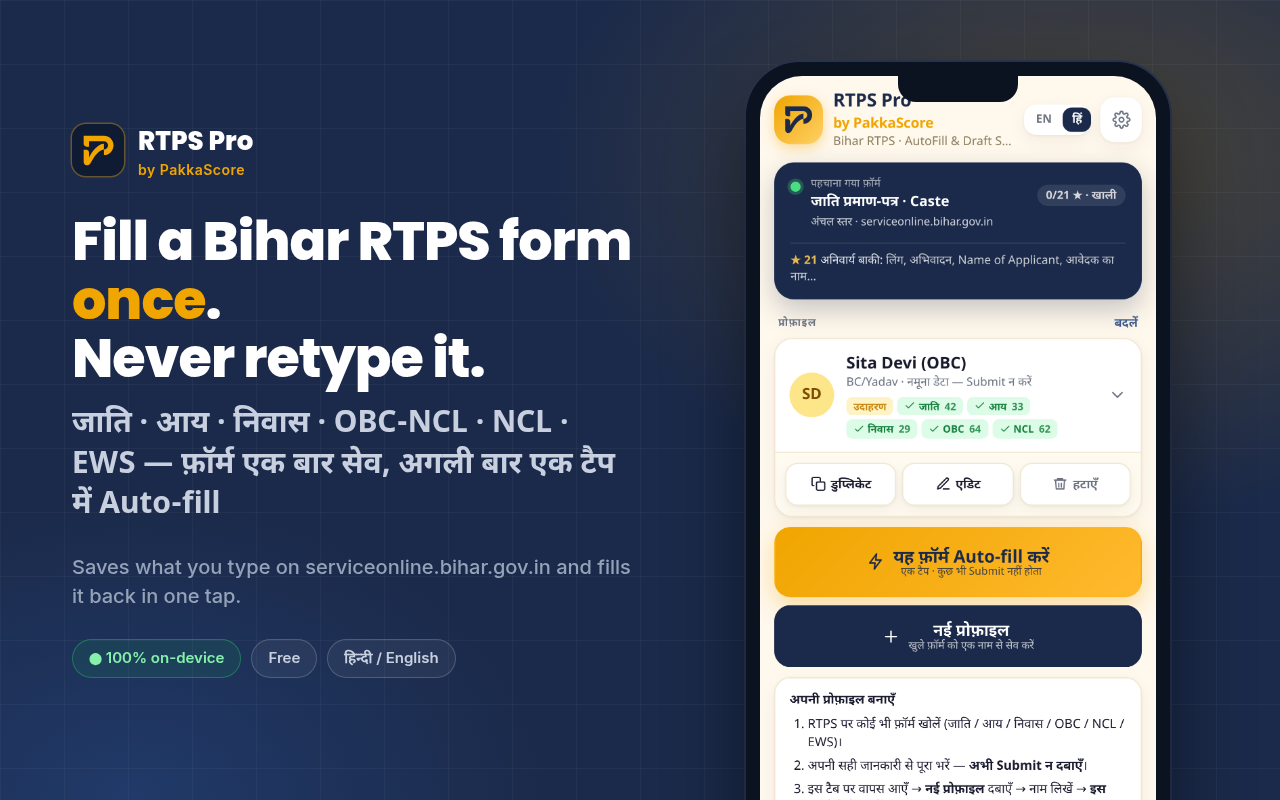
Every field that repeats across certificate applications — RTPS Pro handles it. You only touch photo, captcha, and Submit.
One-tap auto-fill
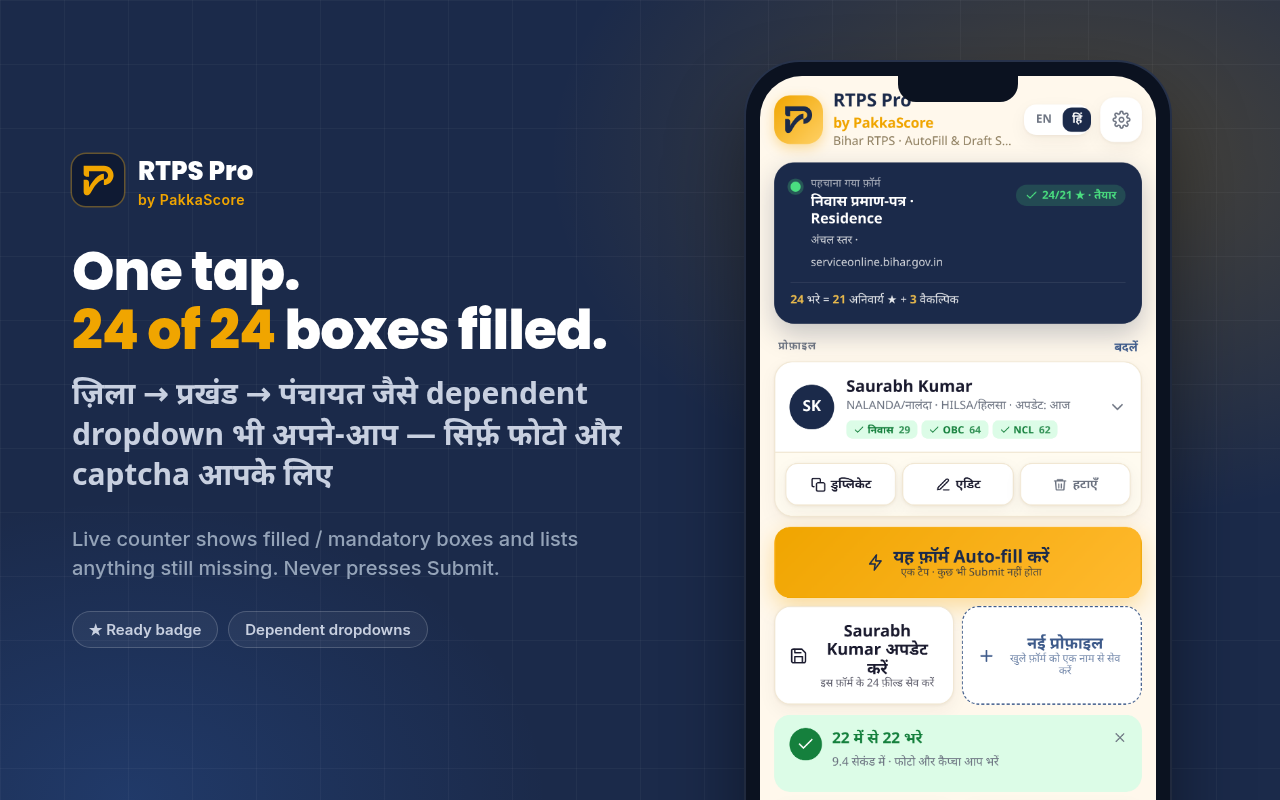
20–30 boxes filled in seconds — text fields, radio buttons, and cascading dropdowns (State → District → Block → Panchayat) in correct sequence, waited for via MutationObserver.
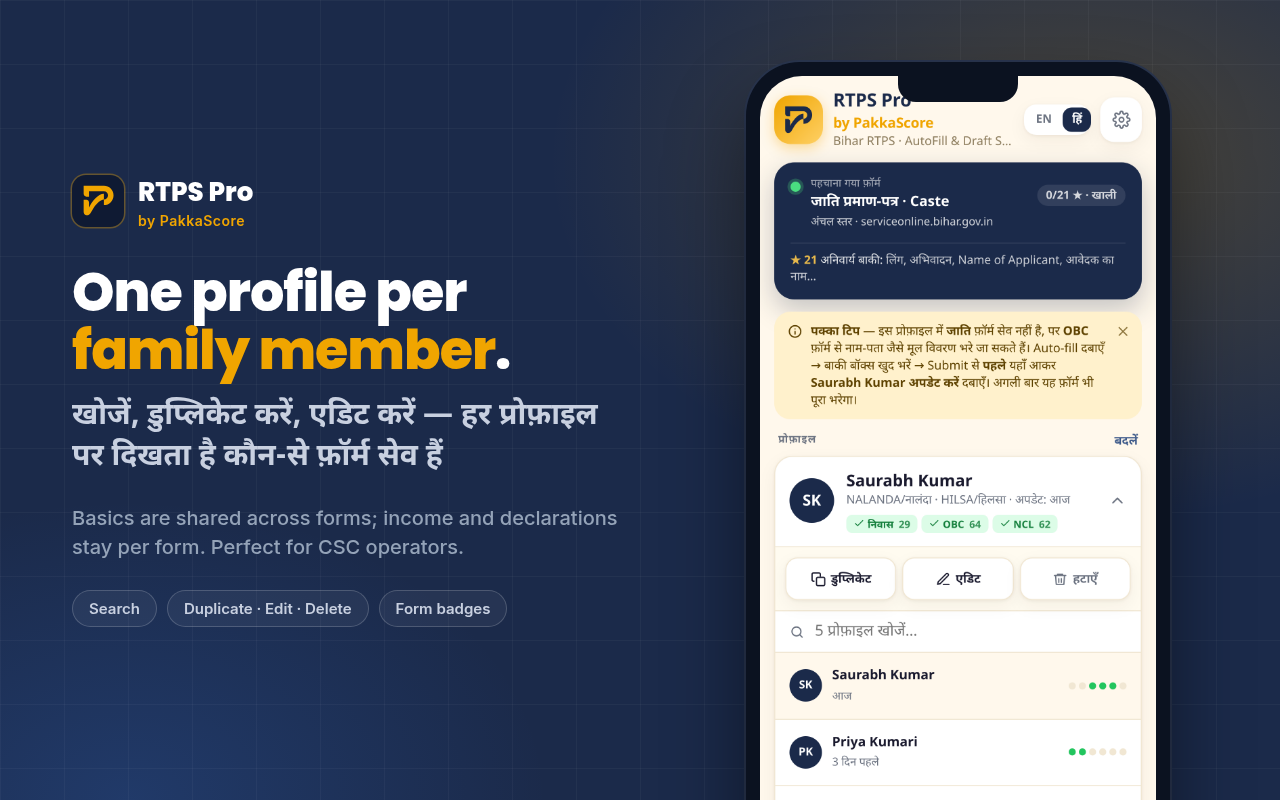
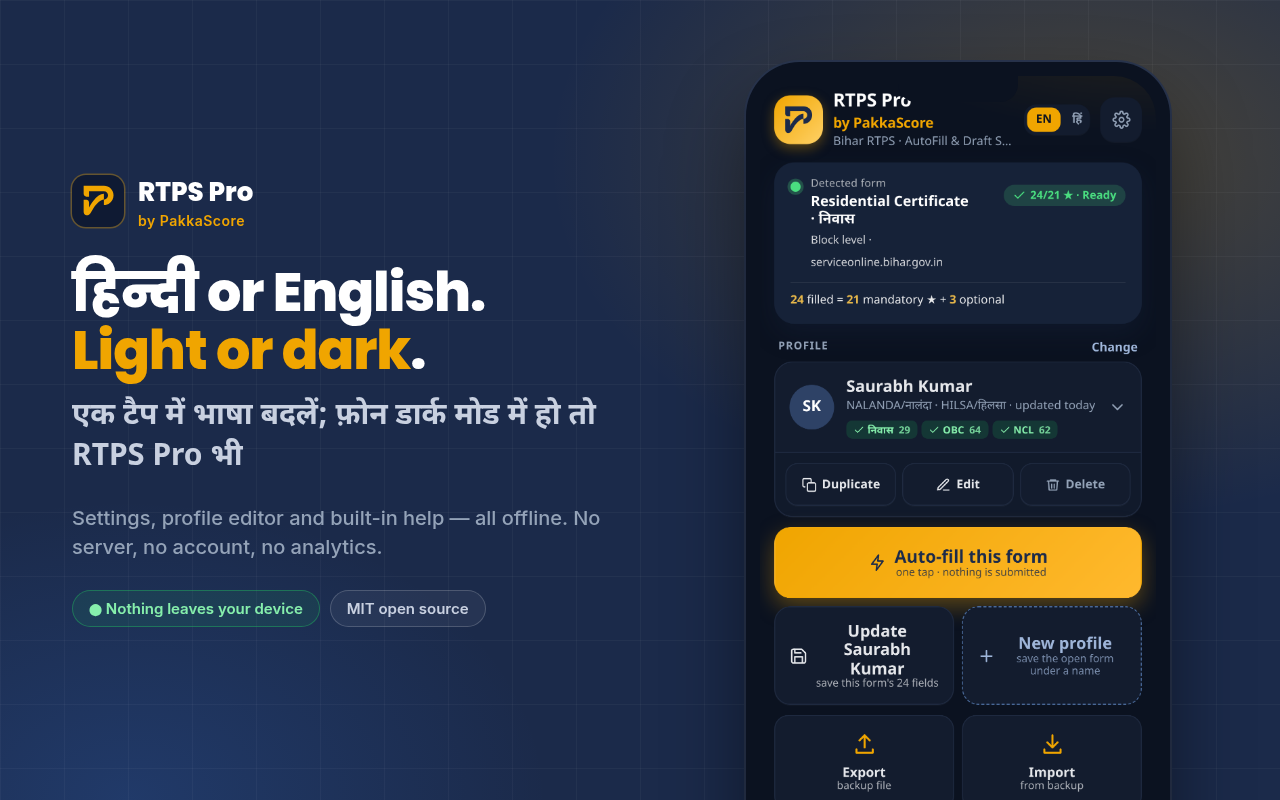
Multiple profiles
One profile per family member or client. Searchable by name, district or block. Duplicate, edit, rename or delete right from the profile card.
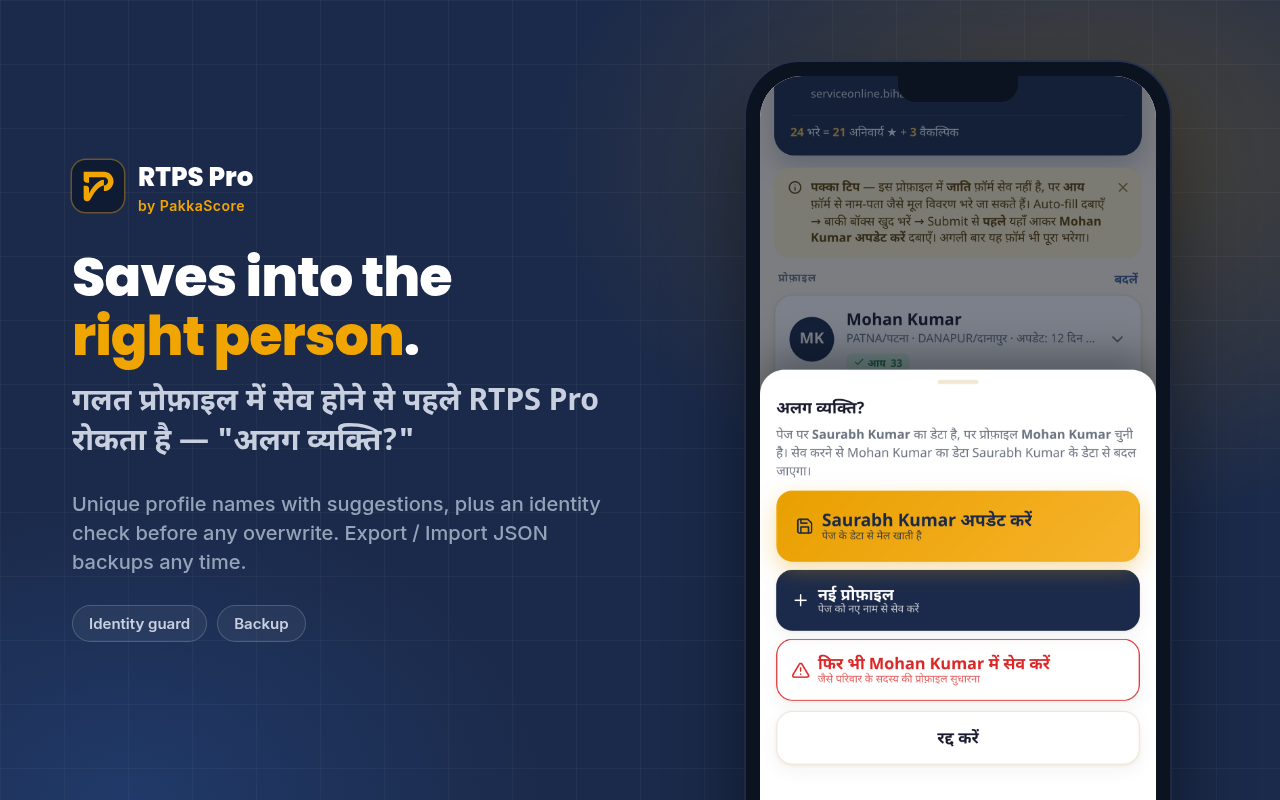
Identity guard
Before updating a profile, RTPS Pro compares the applicant name on the page with the selected profile. Overwriting the wrong profile needs a deliberate second tap.
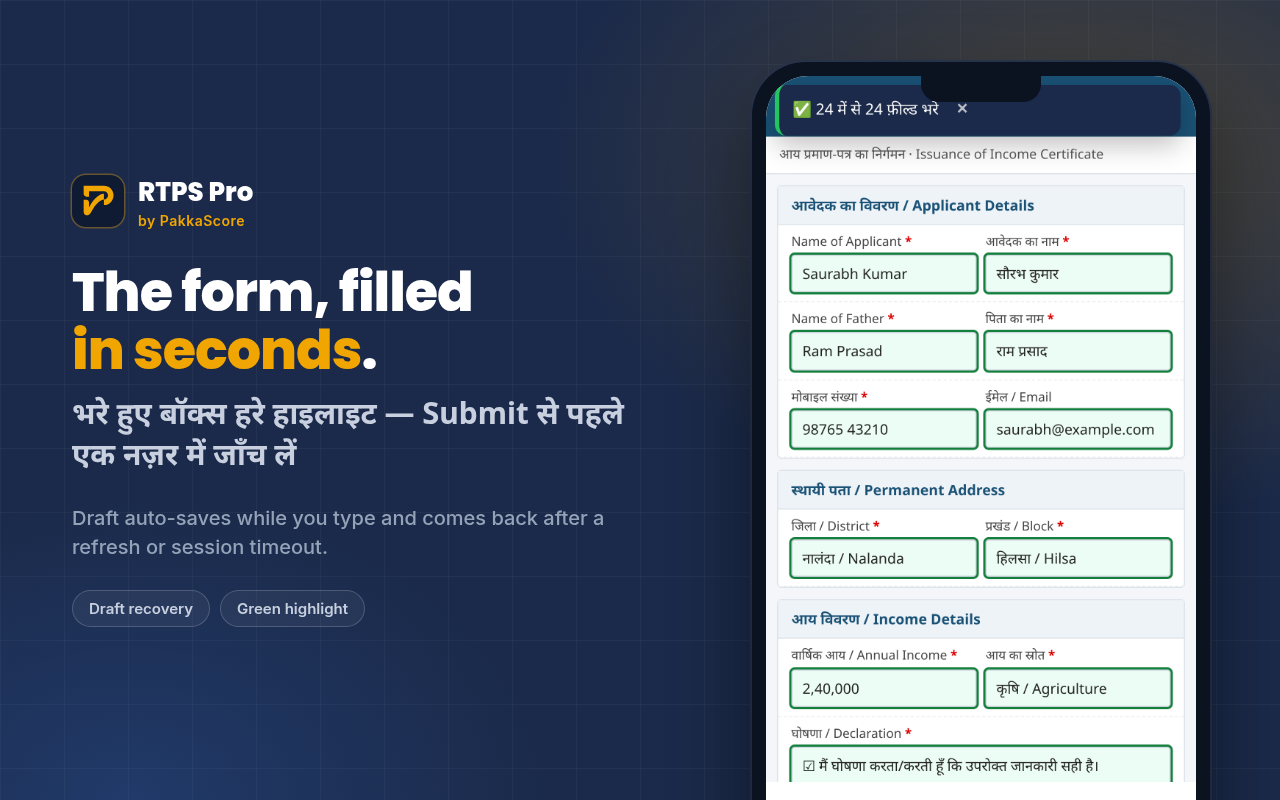
Draft recovery
Auto-saves as you type. Session timeout or accidental refresh? One tap to restore everything — drafts kept for 7 days, then cleared automatically.
Mandatory-field counter
Live "24 filled • 21 required • 3 optional" in the header. Green ★ when all required fields are done — with the missing ones listed so nothing slips through.
Export / Import backup
Back up one profile or all to a JSON file. Restore after a browser data clear or transfer to another device — no cloud account required.
Three steps, then you're done
Install once. Save once. Auto-fill every time after.
Install the extension
Add from Firefox Add-ons or Edge Add-ons in one tap — auto-updates included. On Chrome, download the zip and load unpacked. Two example profiles come pre-installed to try right away.
Fill once, save before Submit
Open any RTPS form and fill it with real details. Before pressing Submit — open RTPS Pro → New profile → name it → Save from this form. Then submit normally.
One-tap from now on
Open the form → pick the profile → tap Auto-fill. Only photo, captcha and Submit remain. Every future certificate application — same one tap.
A popup that feels native.
Mobile-first, Hindi default, automatic dark mode. Real screenshots with example data. ← scroll →
Up and running in a minute.
Firefox & Edge via official stores with auto-update. Chrome desktop via zip.
🦊 Firefox
Android + Windows / macOS / Linux. Auto-update.
- Open addons.mozilla.org → RTPS Pro
- Add to Firefox → Add
- Menu ⋮ → Extensions → RTPS Pro
🌊 Edge
Android + Windows / macOS. Auto-update.
- Edge Add-ons → RTPS Pro
- Get → Add extension
- Menu ☰ → Extensions → RTPS Pro
🌐 Chrome / Quetta / Kiwi
Desktop Load unpacked, Android + from .zip
- Download
rtps-pro.zip - chrome://extensions → Developer mode → Load unpacked
- Quetta/Kiwi: Extensions → + from .zip
Full guides — Hindi & English
Every button, every screen explained. Separate pages for detailed walkthrough — 12 screenshots, 15 features, step-by-step.
हिन्दी गाइड
10 सेकंड टेस्ट से लेकर Duplicate, Identity Guard, Draft, Export/Import, Settings तक — 12 screenshots के साथ। CSC और परिवार के लिए पूरी जानकारी।
हिन्दी गाइड खोलें →English Guide
From 10-sec test with example profiles to Duplicate, Identity Guard, Draft recovery, Export/Import, Settings — with real screens and full flow.
Open English guide →