On this page ▼
Which forms are supported?
RTPS Pro works with all 6 Block / अंचल level certificates on serviceonline.bihar.gov.in. Basic details shared across forms; form-specific data stored separately.
| Form | Use Case & Details | Shared Data |
|---|---|---|
| Caste Certificate जाति प्रमाण-पत्र | School admission, reservation benefits, caste verification | name, address, caste, district chain |
| Income Certificate आय प्रमाण-पत्र | Scholarships, ration card, welfare schemes | name, address, income source |
| Residence Certificate निवास प्रमाण-पत्र | Domicile proof for state jobs and admissions | name, address, full district chain |
| OBC-NCL (Form-VI) OBC-NCL केंद्र | Central govt jobs: UPSC, SSC, Railways, central universities | basic + OBC details |
| NCL (Form-IX) NCL बिहार | Bihar state jobs: BPSC and state-level exams | basic + NCL details |
| EWS Certificate EWS प्रमाण-पत्र | General category families within income limit | basic + income/property |
Key features — 15 features
Smart auto-fill + cascading
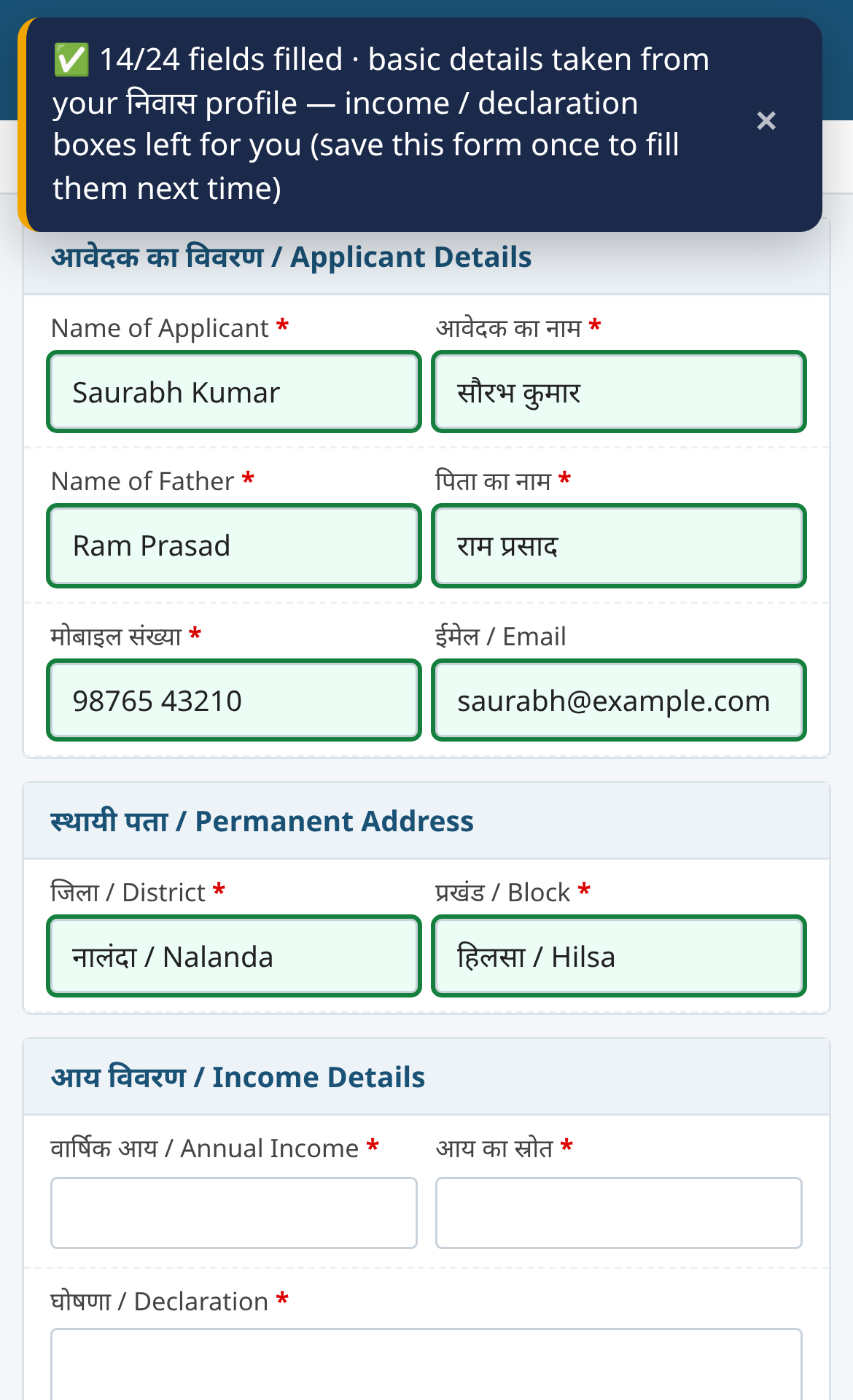
Reads Hindi/English labels, fills State→District→Block→Panchayat in correct sequence. Photo, captcha, declaration stay manual.
Multiple profiles + search
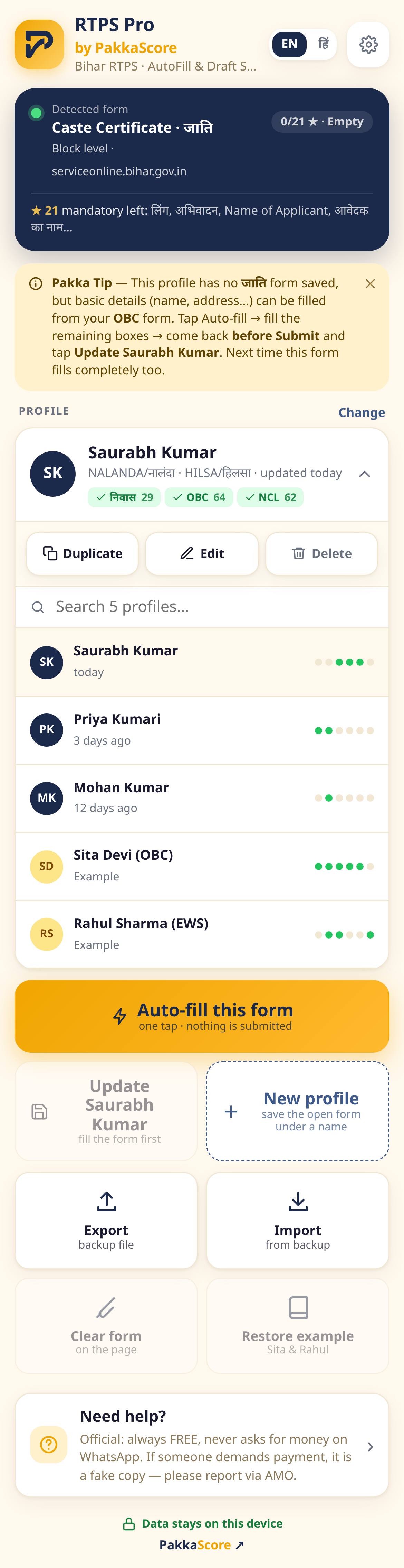
One profile per family/client. Search appears when list grows. Form badges show saved forms.
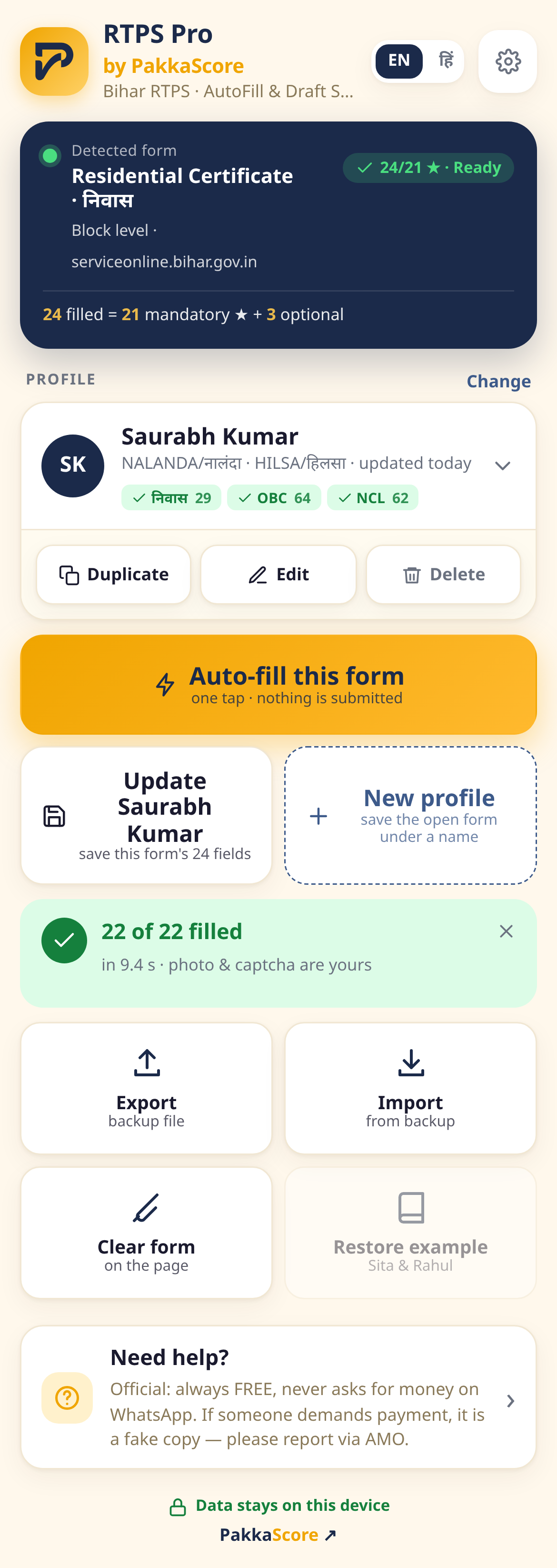
Live fill counter
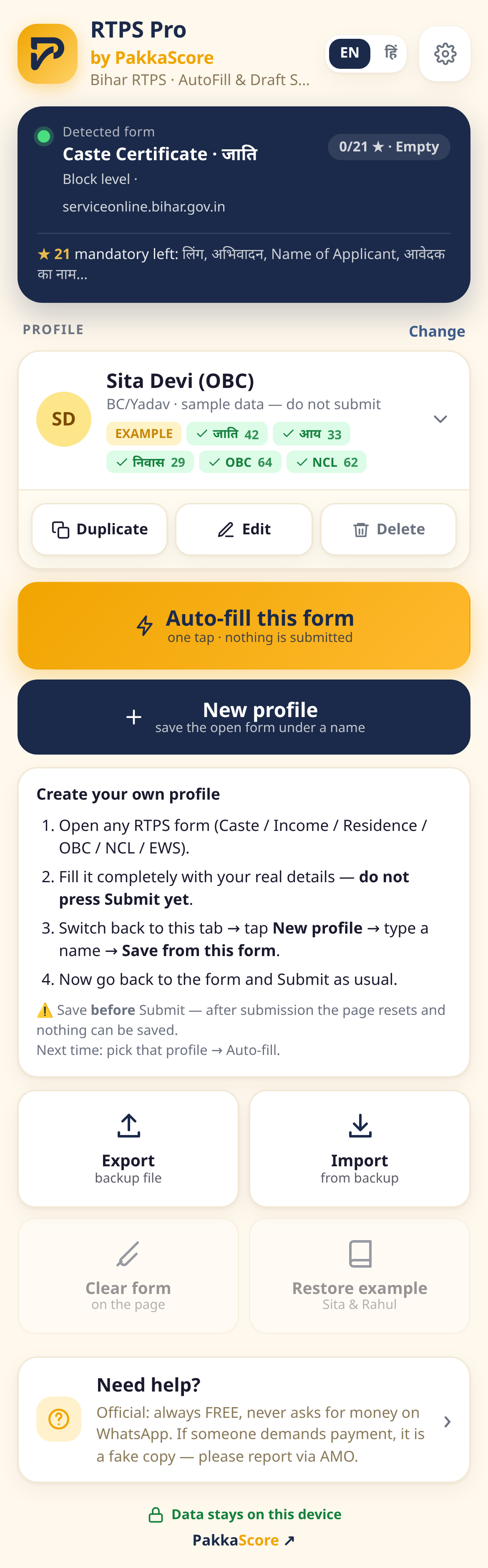
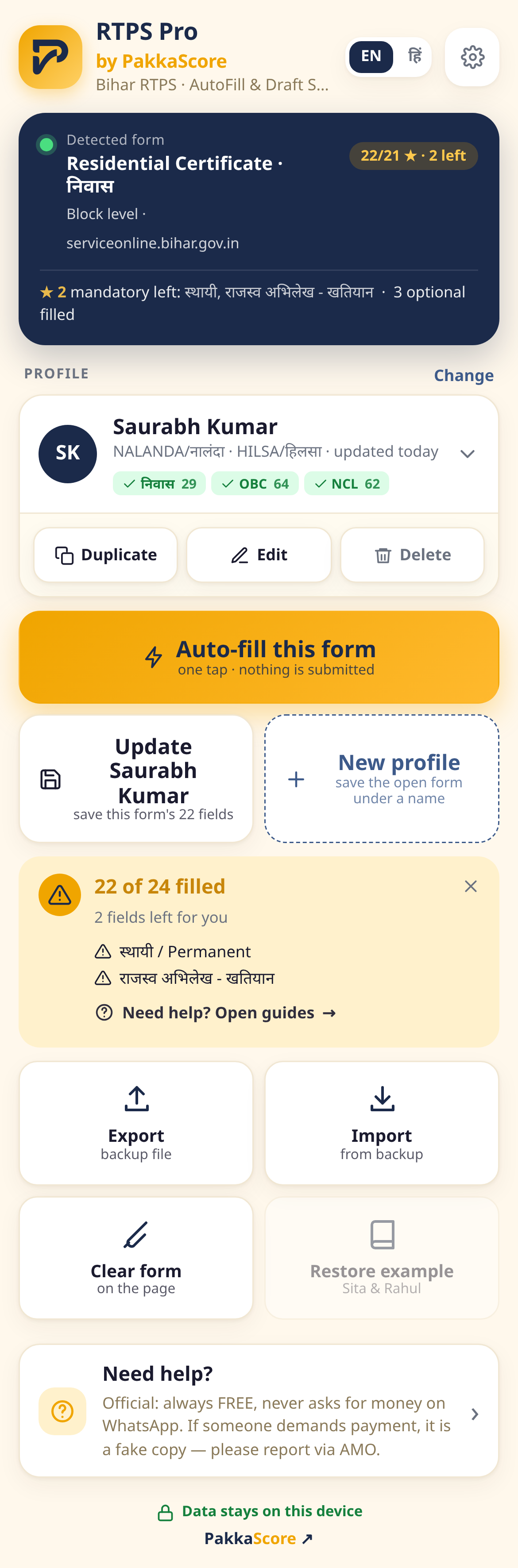
Header shows filled/mandatory e.g. 36/38 ★. Saffron = pending, green = all done. Lists exact missing boxes.
Draft recovery
Continuously saves locally. If portal times out or you refresh, restore instantly. Drafts auto-clear after 7 days.
100% on-device
No server, no account, no tracking. Only permission is serviceonline.bihar.gov.in.
Export & Import
Backup one or all profiles as JSON. Restore after data clear or transfer device.
Duplicate • Edit • Delete
Duplicate copies basics for new person, Edit updates, Delete armed double-tap (Android safe).
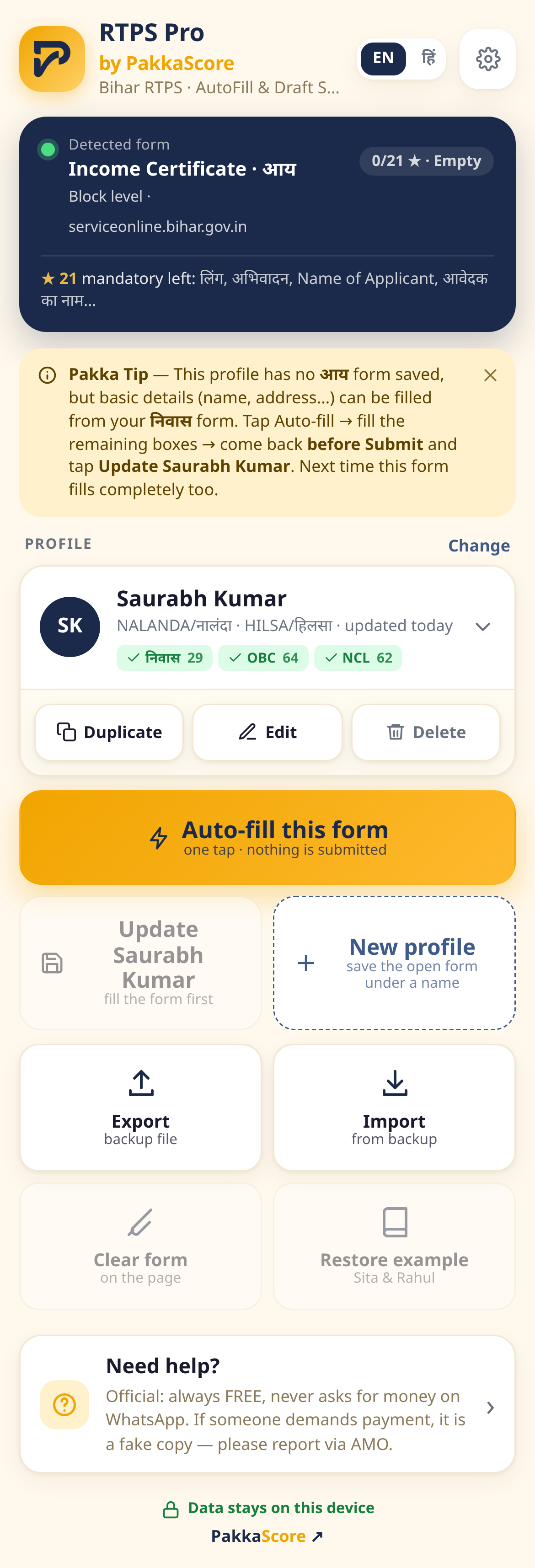
Pakka Tip — borrow basics
If Residence saved but Income opened, borrows basics and says “this form isn't saved yet”. Fill income-specific once → Update.
Identity guard
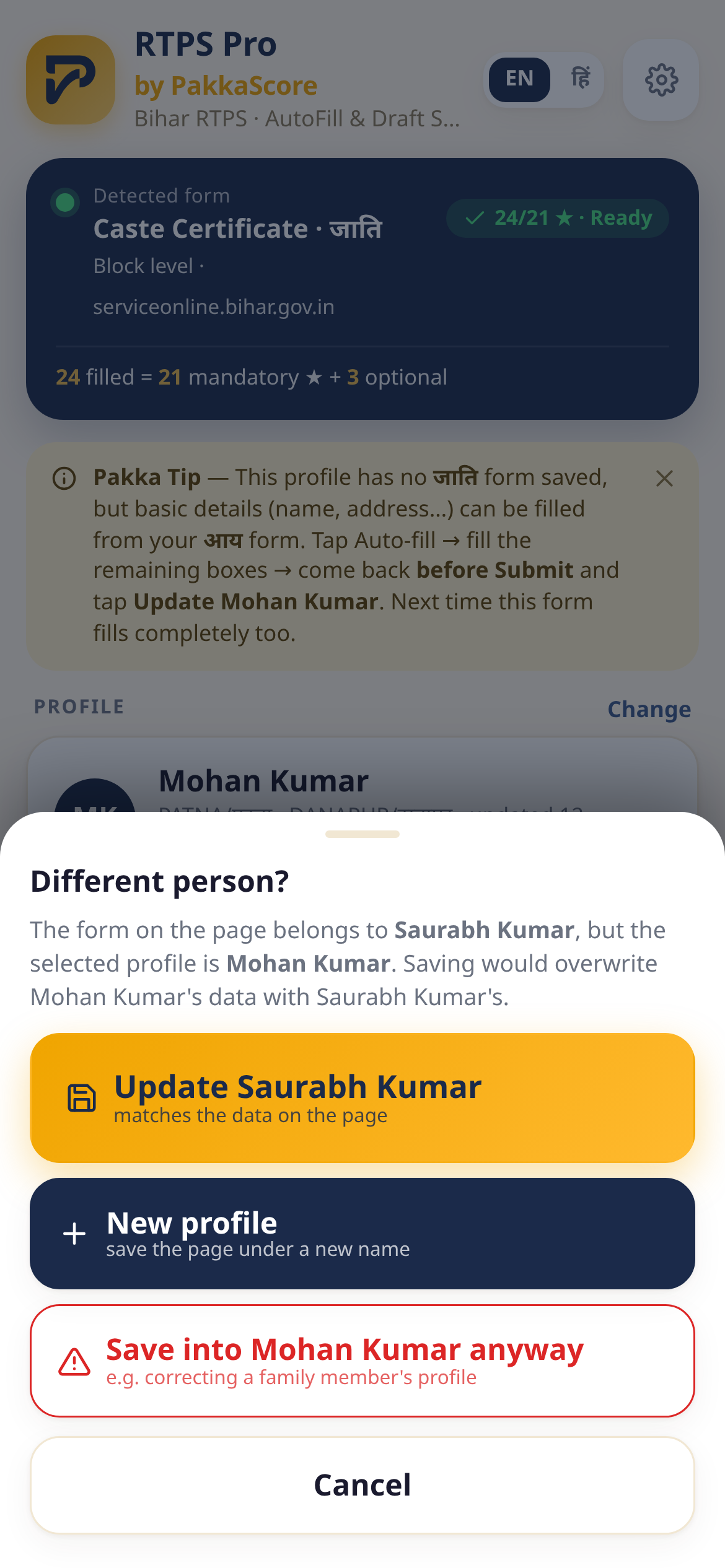
Compares applicant name on page vs profile. If different, asks “Different person?” with 3 choices, double-tap confirm to override.
Firefox • Edge • Chrome
Firefox recommended — Chrome/Edge sometimes show cert error, Firefox opens fine. Android: Firefox & Edge official store.
How to use — full walkthrough
Install (30 sec)
Firefox / Edge: official store → Add → auto-update. Chrome: zip → Load unpacked. Android: Firefox or Edge only.
- 🦊 Firefox: install Firefox → RTPS Pro on AMO → Add
- 🌊 Edge: Edge Add-ons → Get
- 🌐 Chrome: rtps-pro.zip → Load unpacked
Open RTPS form
serviceonline.bihar.gov.in → apply for any certificate. RTPS Pro auto-detects and shows 0/24 filled.
Save first profile
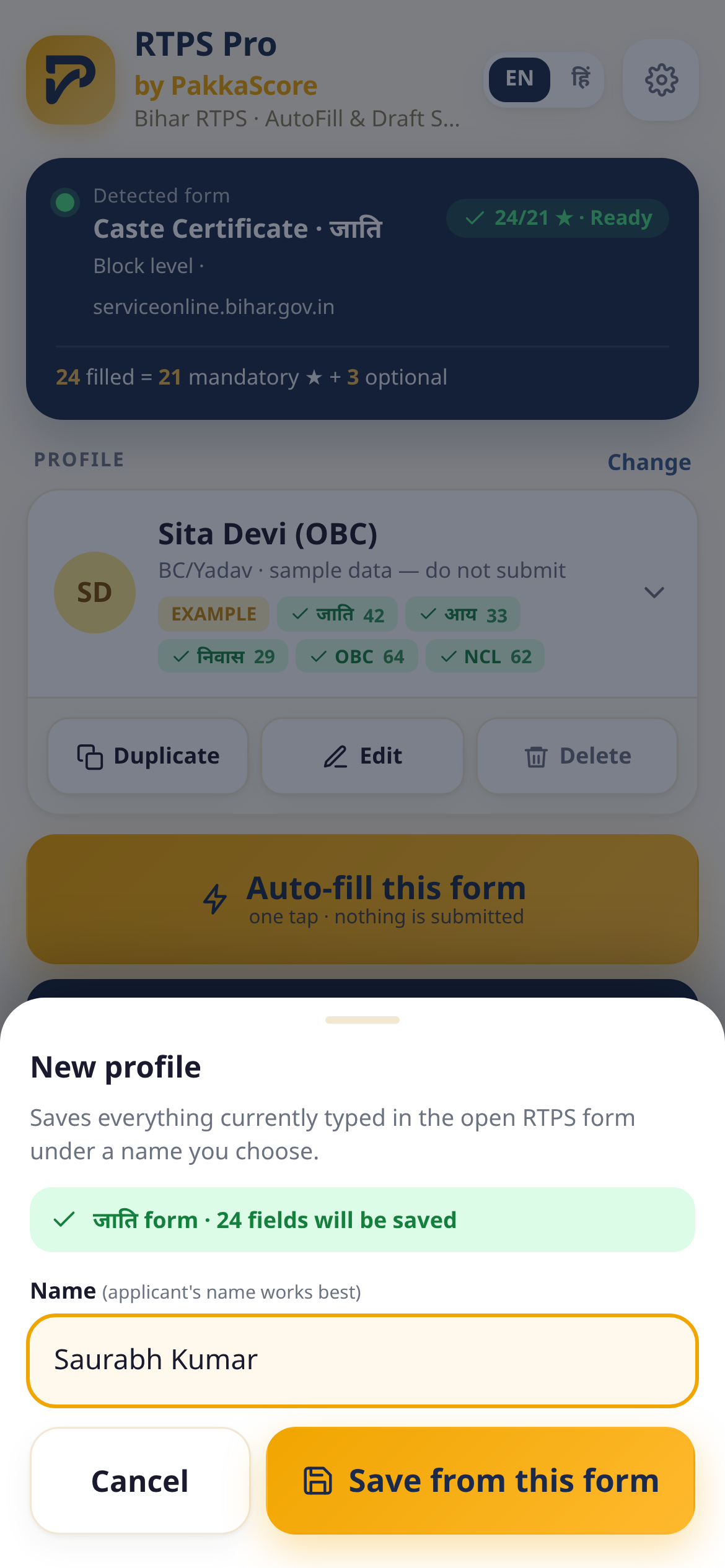
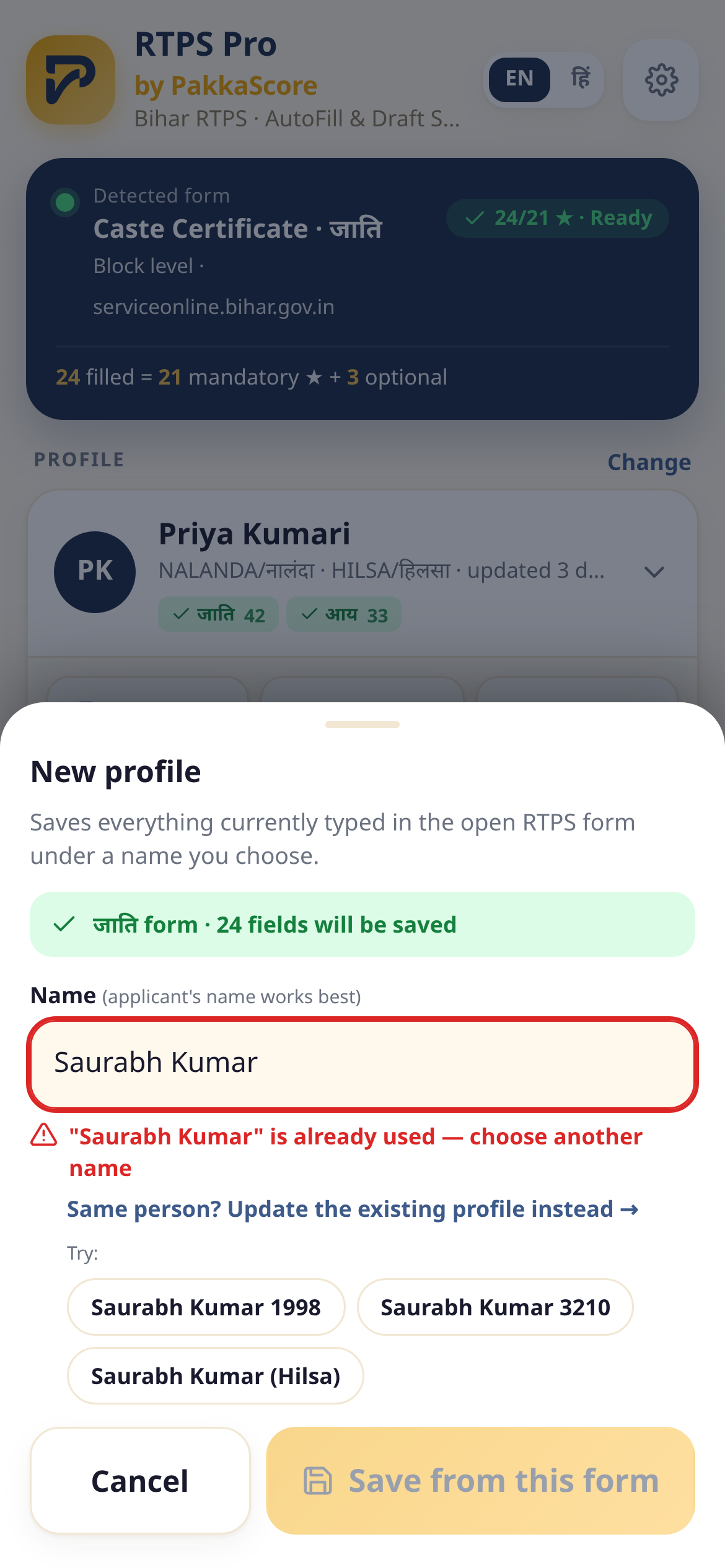
Fill manually once → popup + New profile → name → Save from this form. Duplicate names get suggestions like “Sita Devi (Rampur)”.
One-tap auto-fill
Next time: open form → pick profile → Auto-fill. On-page banner shows filled count, yellow card lists boxes to fill by hand.
Multiple profiles, search, Duplicate • Edit • Delete
Store family/client as separate profiles. Search filters instantly. Form badges show saved forms. Action bar: Duplicate • Edit • Delete — Delete needs armed double-tap.
Borrow logic — Pakka Tip
Say you saved Residence but open Income. RTPS Pro says “this form isn't saved yet” but borrows basics (name, address, Aadhaar…). You fill income-specific and press Update once; next time 100%.
Identity guard
Most common mistake: Ramesh selected but page has Suresh's form, you tap Update → Ramesh overwritten. Guard compares applicant name on page vs profile. If different, asks “Different person?” with 3 choices: save into matching profile, new name, or double-tap confirm to override.
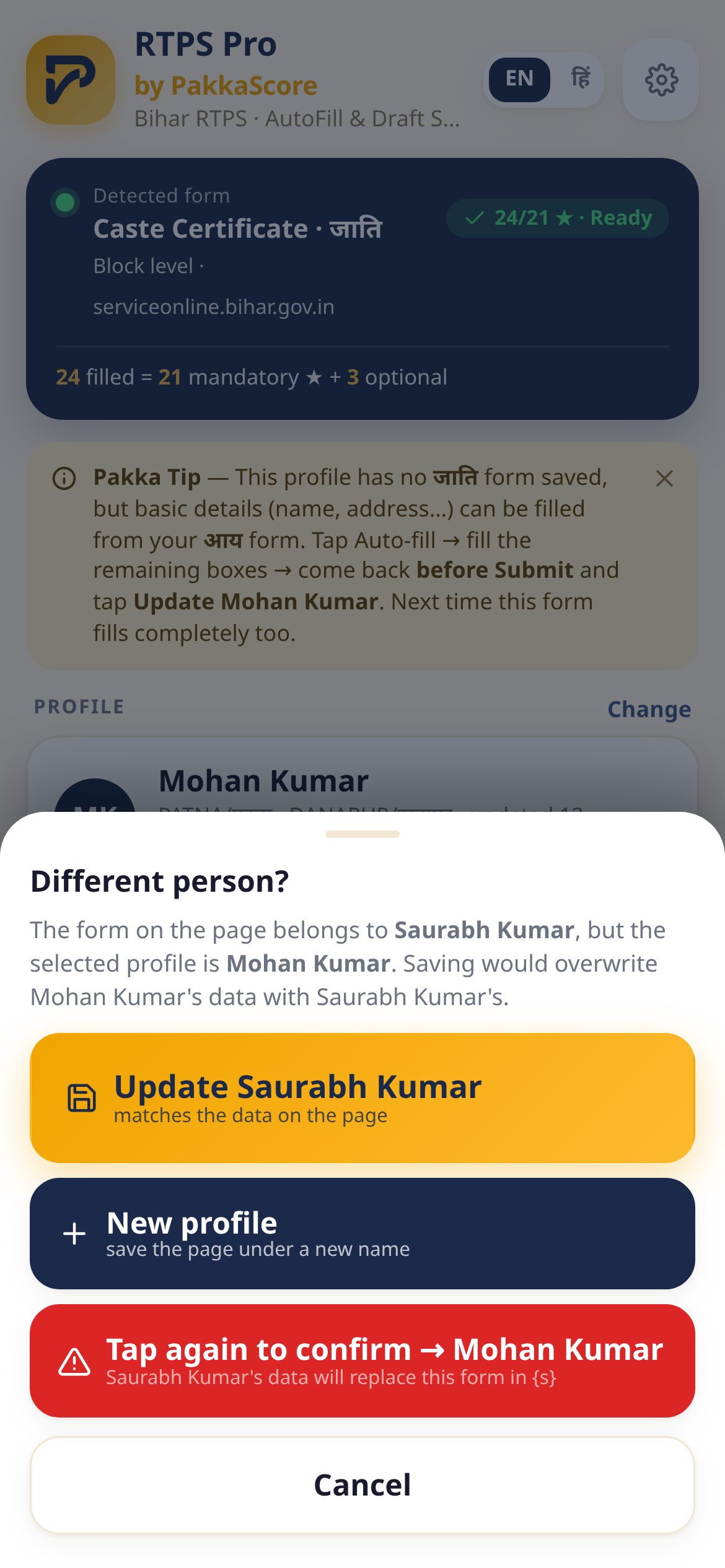
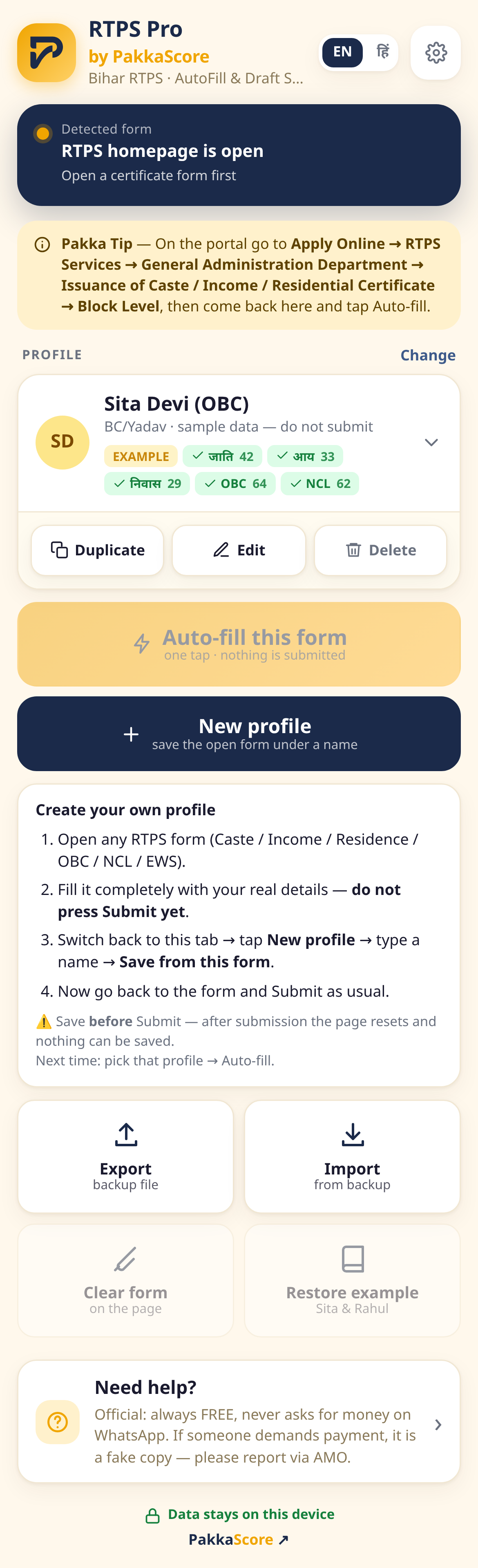
Screenshots — 12 screens
Real popup UI — dark minimal, Hindi + English, fill counter near action.
FAQ
Does it work on mobile?
Yes — Firefox and Edge Android support extensions from official store. Chrome Android does not.
Is data sent anywhere?
No. 100% local storage. No account, no server, no analytics.
What about photo, captcha, checkbox?
Never auto-filled. You upload photo and solve captcha manually.